
• Synthetic glue remover

Synthetic glue remover

Model : SynGC14

XCL-G7015A-CG1.0-kls-0194 sample provided by TJ to remove OCA glue test report of Xiwei TM synthetic glue remover SynGC14

  1. before cleaning

    01.jpg

    02.jpg

    03.jpg

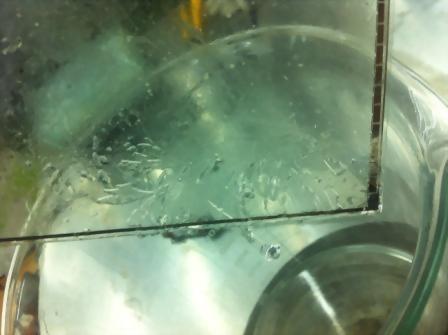
  2. Soak with Xiwei TM synthetic glue remover SynGC14 at 100°C for 20 minutes. Only soak the Sensor halfway. Since the Sensor is covered with ITO lines, it is afraid of acid and alkali, so it can only be removed with a neutral glue remover. Generally, the agent that can remove the residual glue of the Sensor can remove the residual glue of the CG without harming the CG. Therefore, only the Sensor degumming effect is tested.

    04.jpg

  3. After 20 minutes, it was found that the OCA glue on the Sensor had swelled and lost its viscosity.

    05.jpg

  4. Wipe gently with a non-woven cloth to completely remove residual glue.

    06.jpg

  5. Clean the Sensor with OCA glue removed with AHLR03, the purpose is to remove the small OCA fragments and SynGC14 glue remover still adhering to the Sensor. After washing with pure water, it can be completely cleaned. Observed in a dust-free dark room, the residual glue has been completely removed, and the Sensor glass is very clean and not scratched. Flaws are not visible from all angles.

    07.jpg

    08.jpg

    09.jpg

    10.jpg

    11.jpg

    12.jpg

    13.jpg


Xiwei TM synthetic glue remover SynGC14 is applied to the Sensor sample provided by TJ to remove thermosetting OCA liquid glue test report

  1. before cleaning

    14.jpg

    15.jpg

  2. Soak with Xiwei TM synthetic glue remover SynGC14 at 90~100℃ for 5 minutes. Only soak the bottom about 1 cm deep.

    16.jpg

    17.jpg

  3. It was found that the OCA glue on the Sensor had fallen off.

    18.jpg

  4. Repeat the verification test. Break off the wider part of the sensor so that the sensor can be placed in the container horizontally and can be soaked by more than 20% of the area of the glue remover.

    19.jpg

  5. The OCA glue on the Sensor was found to have fallen off after soaking SynGC14, a glue remover synthesized by Xiwei TM, at 90~100°C for 5 minutes. Take it out, and gently push the completely peeled off OCA glue off the Sensor surface. Notice! In this step, you only need to "gently" push the OCA glue away. If you want to wipe it hard, that is, the OCA glue has not been completely peeled off, you should extend the soaking time. (When removing the glue, you should try to avoid wiping it hard. If you wipe it hard, it may cause the poorly attached ITO points on the Sensor to fall off and affect the electrical properties. You should use the power of the glue remover to let the OCA glue slide off by itself) and AHLR03 cleans the Sensor from which the OCA glue has been removed, in order to remove the small OCA fragments and the SynGC14 glue remover that still adhere to the Sensor.

    20.jpg